Turn any picture into a cut file.
A phone photo, a scan, a screenshot saved too small. Upload it, say what you’re making, and get a clean SVG for your Cricut, Silhouette or laser, with the shadows and paper gone.
Free account: unlimited tracing, and SVG downloads every month.
Tested on pictures it had never seen.
10 new test pictures, none used to tune CutNook, through CutNook and a popular online tracer, scored the same way.
- CutNook better
- 5
- Other tracer better
- 2
- Even, or neither did well
- 3
Opened and checked in
- Cricut Design Space
- Inkscape
And any program that imports SVG or PNG.
Made for the way you cut.
The parts of a cut file that are easy to get wrong, done for you.
Set for your job
Vinyl, laser, engraving, stencil, heat transfer or stickers: each traces and checks its own way.
The real size
Set the width and height in millimeters or inches before you download.
Mirror and batch
Mirror it for heat transfer vinyl. Up to 20 pictures at once, downloaded as a ZIP.
Saved for you
Every design is saved to My designs, on every device you sign in on.
See problems before you cut.
Pick what you’re making. CutNook runs the checks that matter for that job on your design, and shows you exactly where.
From picture to cut file, in one place.
Upload, check, tidy and download in the studio. Nothing to install.
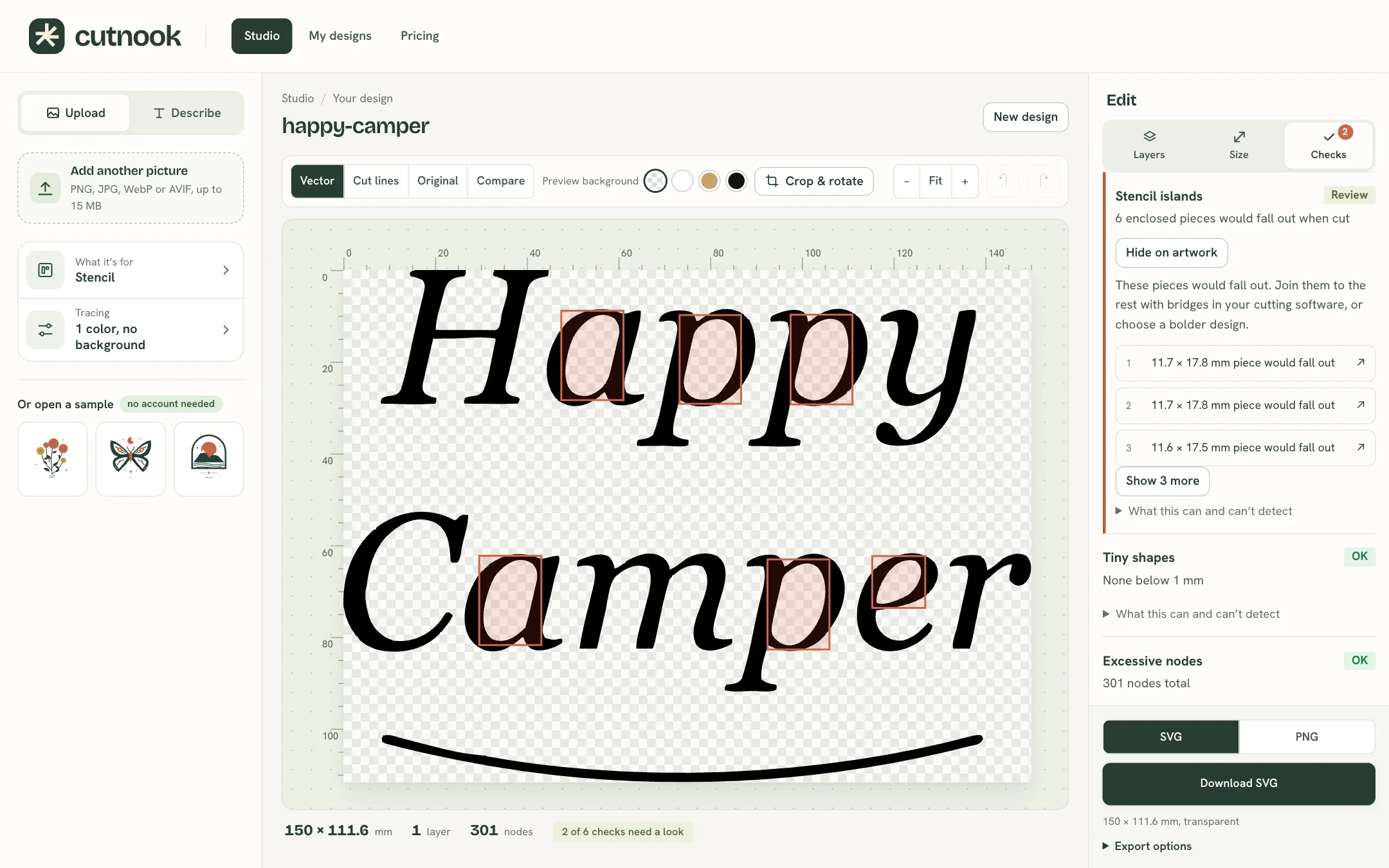
- Pick what you’re makingUpload a picture (PNG, JPG, WebP or AVIF up to 15 MB, up to 20 at once), then say what it’s for: vinyl, laser, engraving, stencil and more. That sets the tracing and the checks.
- See the problems drawn on your designThin parts, tiny pieces and pieces that would fall out are marked where they are. Recolor, move or delete any piece and set the real size.
- Download SVG or PNGOne by one or as a ZIP for a batch. Mirror it for heat transfer vinyl.
Free designs, ready to cut.
Made in CutNook for vinyl, stickers, engraving and more. Free to use in things you make, to keep or to sell.
Free to start
Tracing your own pictures is always free. Make a free account, and pay only if you make a lot.
- Unlimited tracing and previews
- SVG downloads every month
- PNG downloads
- The cut checks, and your designs saved to your account
Paid plans add unlimited SVG downloads. See the plans
Questions
Will it open in Cricut Design Space?
Yes, checked in Design Space 10.6. Upload the SVG and it comes in at the size you set, each color its own layer, the holes still holes. For Cricut, leave Outlines only off: Design Space brings outlines in as one color.
And in Silhouette Studio?
Silhouette Studio imports SVG in Designer Edition and up. On the free Basic Edition, download the PNG and trace it in Silhouette Studio.
Does it work for lasers?
Pick laser cutting or engraving and download the SVG, for any laser software that imports SVG. The checks flag parts too thin to cut first.
Is it a real vector?
Yes. Every shape is a path you can edit or cut. No picture is hidden inside the file.
What happens to the pictures I upload?
They’re held for a short time so you can trace them again, then deleted. Your designs stay in your account.
Can I sell what I make?
Designs traced from your own pictures are yours. The free designs can go into things you sell too, under the gallery licence. Only upload pictures you have the right to use.
More in the help.
Your next cut file starts here.
Open the studio and drop in a picture, or watch it trace one of ours first. No account needed for the samples.